
How to prevent thousands of unread messages
Managing email;

If you’re like me and you’ve had thousands of unread messages in your inbox (8,827!) and thousands in a category I made 2 years ago for newsletters (over 15k!), you might start to hate email. This was my personal account, my work account wasn’t much better.
I wasn’t reading all these messages, clearly. Instead, they piled up. As Ezra Klein wrote when he announced he was leaving Gmail: “Our digital lives have become one shame closet after another. A shame closet is that spot in your home where you cram the stuff that has nowhere else to go.”
Email became a shame closet for me — a shuffling of messy digital objects here and there. I covered it up every time I clicked out of email.

So, without admitting it to anyone, I wanted a solution. I tried setting up two other email accounts — this just multiplied the problem, and gave me two more places to check. I tried creating more categories within my Gmail — this caused me to ignore messages or things I wanted to read. It’s pathetic, but I wasn’t clicking over to the Gmail created categories — promotions, forums, updates — because my regular, priority inbox was full. Everything was full.
Long story short, I ran into Laura Mae Martin’s book Uptime, which shifted my thinking and actions around email (and productivity in general). Laura is the Executive Productivity Advisor at Google. She coaches the top brass at Google on how to be manage their time, and get stuff done.
Her whole mindset around email is to treat it like laundry. Pulling on the closet metaphor, each message is like a piece of clothing, and your inbox is like a dryer. Don’t leave clothes in the dryer. Pull them out, sort them, and put them away.
Don’t leave messages in the inbox. Pull them out, sort them, and put them away.
If you struggle with email, snag Laura’s book, but here’s a quick version of how to prevent thousands of unread messages:
First, you do this.
You demolish your inbox. I did a massive archiving of messages, it takes minutes to archive thousands of messages. I broke down and ended my categories and deleted my labels.
As wild as it might be, get your inbox to zero with no labels, categories, just one inbox.
(Note: perhaps you need some labels — I have one for important personal messages — but I had a lot of useless ones like receipts and writing stuff, which weren’t being used. They each had three messages from like 2018.
Then, do this
Create labels and filters.
In Gmail, you create three labels: Respond, Read, Revisit. Other emails might have this as folders. These labels are the three shelves you need for sorting your email.
Respond is for important people: your boss/manager, your family, a client.
Read is for industry news, newsletters you love, or any other message just for reading.
Revisit is a message for you to return to. “Let’s circle back in a week,” type of message.
If you need, here is an explainer on creating a filter, and how to create a label. The Verge also wrote a helpful how-to on label’s, you can read here.
Keep doing, this.
Build a time to email and monitor what you’re reading.
Just like laundry, dedicate some time to email, and breakdown what you’re doing in email.
First, sort the inbox. Label messages Respond, Read, and Revisit.
Then, a separate time, Respond to email. Only spend time on emails you need to respond to. Don’t go to a Reading or Revisiting message.
Then do the same for Reading and Revisiting. Only do that action.
Don’t forget, when you’re finished with a message — when the loop is closed — archive it, or delete it. Take it out of the labels and inbox.
For me, I was subscribed to over 50 newsletters. Most of my time was being sent in Reading. Everyday there was a new lineup of long, and lots of things to read. This was draining! So I made decisions: What do I really want to read? What really matters to me?
I found out I was hoarding messages — a piece of me felt good to have the info, but I was doing nothing with it. What good are clothes if you don’t ever wear them? I’m starting to learn that information is the same. You have to decide what’s useful for you.
I’m still managing my email on this front, deciding what I want coming into the inbox, but I’m much closer today than I was. I actually want to visit my email. And I think it’s always good to go through a digital or physical space and ask: are you using this, does this enrich? Or does it drag you down?
When I unsubscribe, or delete, it also feels like a great practice in letting go. Laura’s book also teaches me that — let go of old tasks, a pile of stuff you aren’t reading, and just move on to the next thing. Keep the adventure going.
The library
Here a set of stuff I found interesting and useful to check out. It’s a curation of information and a library of stuff that you can feel free to browse, check out, or not.
More Laura: I’d be amiss if I didn’t share that Laura’s book is truly a wonderful way to organize your life. She pushes the idea that lists are central to getting stuff done. “Lists are not a one-time thing — they’re a living, breathing system that makes it easier for your brain to manage tasks and ensure that you execute them. They’re the backbone of productivity.”
After three weeks of using her methods, I can say it has made a huge difference. I’m executing more with my personal projects and work life. I feel less stressed and calmer. If you struggle with executing ideas, or organizing information, I’d highly recommend her book.
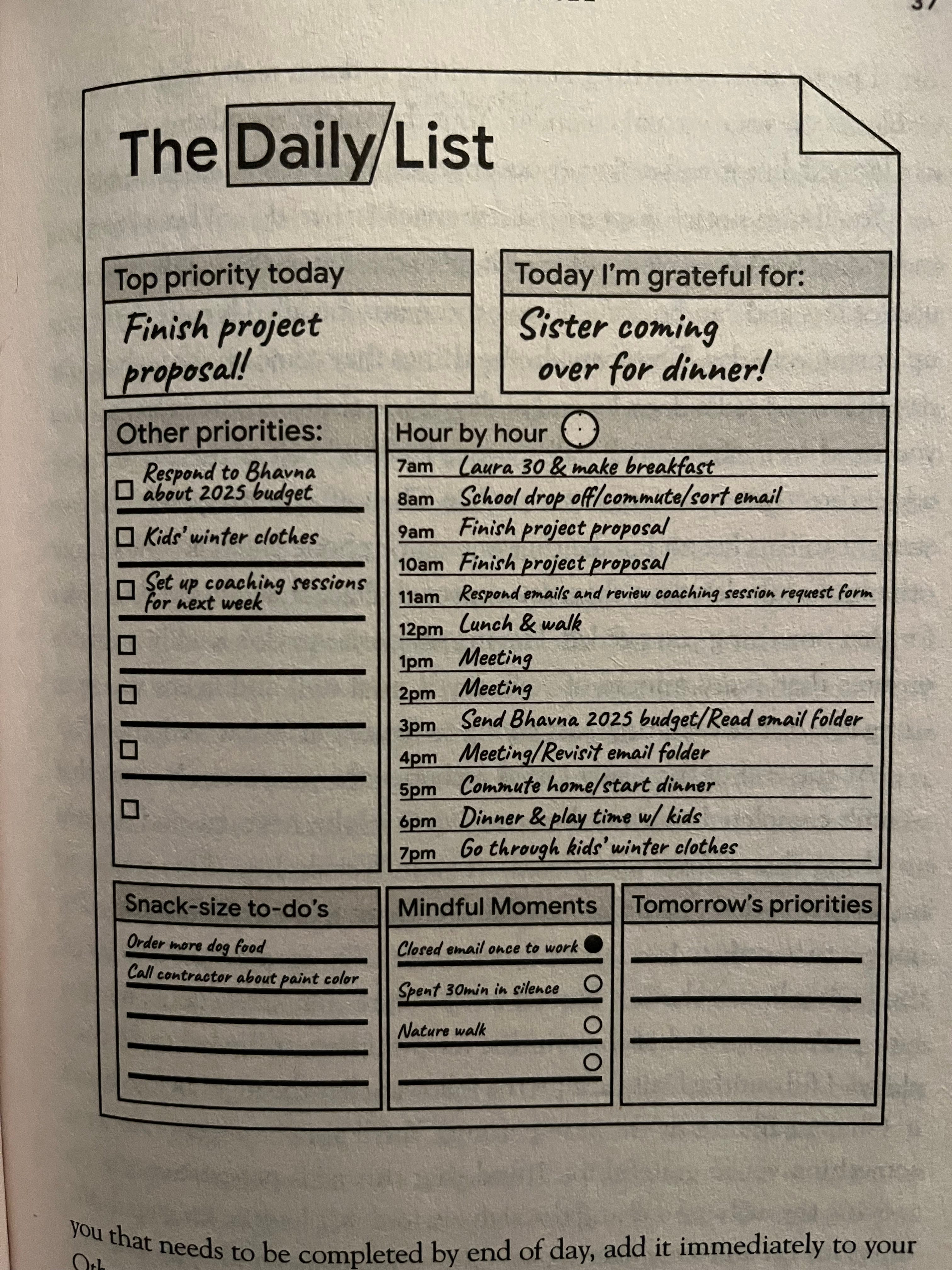
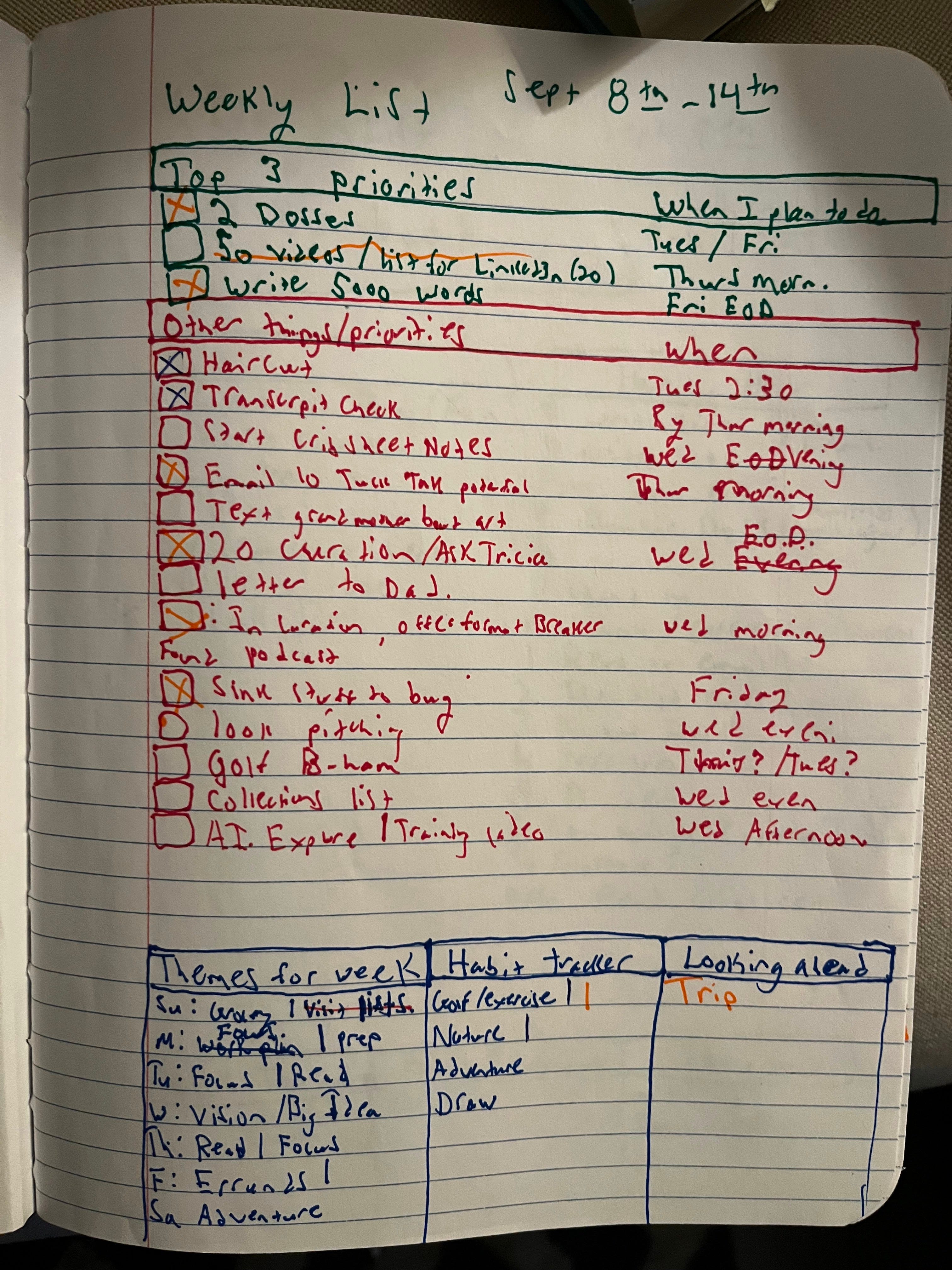
See her resources HERE where she has grocery lists, list templates, and more. You can also listen to Laura on this podcast.
How Apple Rules the World: With several product releases last week, Bloomberg ran a profile of perhaps the most successful company in our lifetimes. The firm is worth 3.4 trillion and it's 2023 revenue is 400 billion, which makes it about as big as the entire economy of Denmark or the Philippines.
Speaking of big-ass companies, if you’re fed up with Big Search and Google, perhaps you should practice “folk search,” see this excellent post on alternative search engines and alternative ways of finding information online.
National Book List: For the 75th awards, the honorees were announced — some good books on this list if you’re looking for something great to read.
Excellent proposal: Twelve years ago, I watched this video and it made my heart sing. Perhaps one of the best coordinated and filmed wedding proposals of all time:
This past week made me think a lot about immigrants and America, especially Haiti. We should strive to welcome people, stop global property, and realize how much immigrant communities enrich America, and the world. Read this special NYT report from 2022 that traces the root of Haiti’s struggles. Hint: America had lots to do with it.
Also, I started an immigrant playlist inspired by Haiti , as it has been said, immigrants run the world. I’ll be adding to the list. Feel free to follow and listen.
More soon, Tucker